Peak 2026 on SFCC: An Eight-Week Readiness Plan


Black Friday 2026 falls on 27 November, with Cyber Monday on 30 November. For most Salesforce Commerce Cloud (SFCC) stores, those five days carry a large share of the year’s revenue, and they’re the worst possible time to find a broken checkout, a failed inventory import or a product that AI assistants can’t describe.
Peak readiness isn’t one task. It’s a set of deadlines that depend on each other: you can’t test a release that’s still changing, and you can’t tune alerts before you know what normal peak traffic looks like. This plan counts back eight weeks from Black Friday and gives each stage its own window.
The eight weeks at a glance:
| Weeks before Black Friday | Dates (2026) | Focus |
|---|---|---|
| Weeks 8–6 | 2–22 October | Last big deploys and a fixed code-freeze date |
| Weeks 6–4 | 16 Oct – 5 Nov | Full regression run on the release candidate |
| Weeks 4–2 | 30 Oct – 19 Nov | Alert thresholds tuned for peak traffic |
| Final week | 20–26 November | Freeze holds, on-call rota confirmed, no surprises |
| All eight weeks | 2 Oct – 26 Nov | Holiday catalog complete; brand visible in AI shopping answers |
If you’re reading this in early October, you’re in week 8 or 7. That’s still enough time, as long as the code-freeze date is set this week.
Weeks 8–6: Last Big Deploys and a Code-Freeze Date
These three weeks are the last safe window for significant changes: new features, cartridge upgrades, integration changes and anything that touches checkout. After that, every change competes with testing time.
What to do:
- Set the code-freeze date now and share it with everyone who can change the store, including agencies and integration partners. For most SFCC teams, freeze starts at the end of week 6 (22 October).
- Decide what counts as an exception. Security fixes and critical bugs usually do. New features and “small” design tweaks don’t.
- Ship the remaining big changes early in the window, so problems surface while there’s still time to fix them.
- Tidy up code versions. Know which code version is active on each instance, which one is your release candidate, and which one you’d roll back to.
- Freeze Business Manager changes too. Site preferences, jobs and search settings can break a store as easily as code.
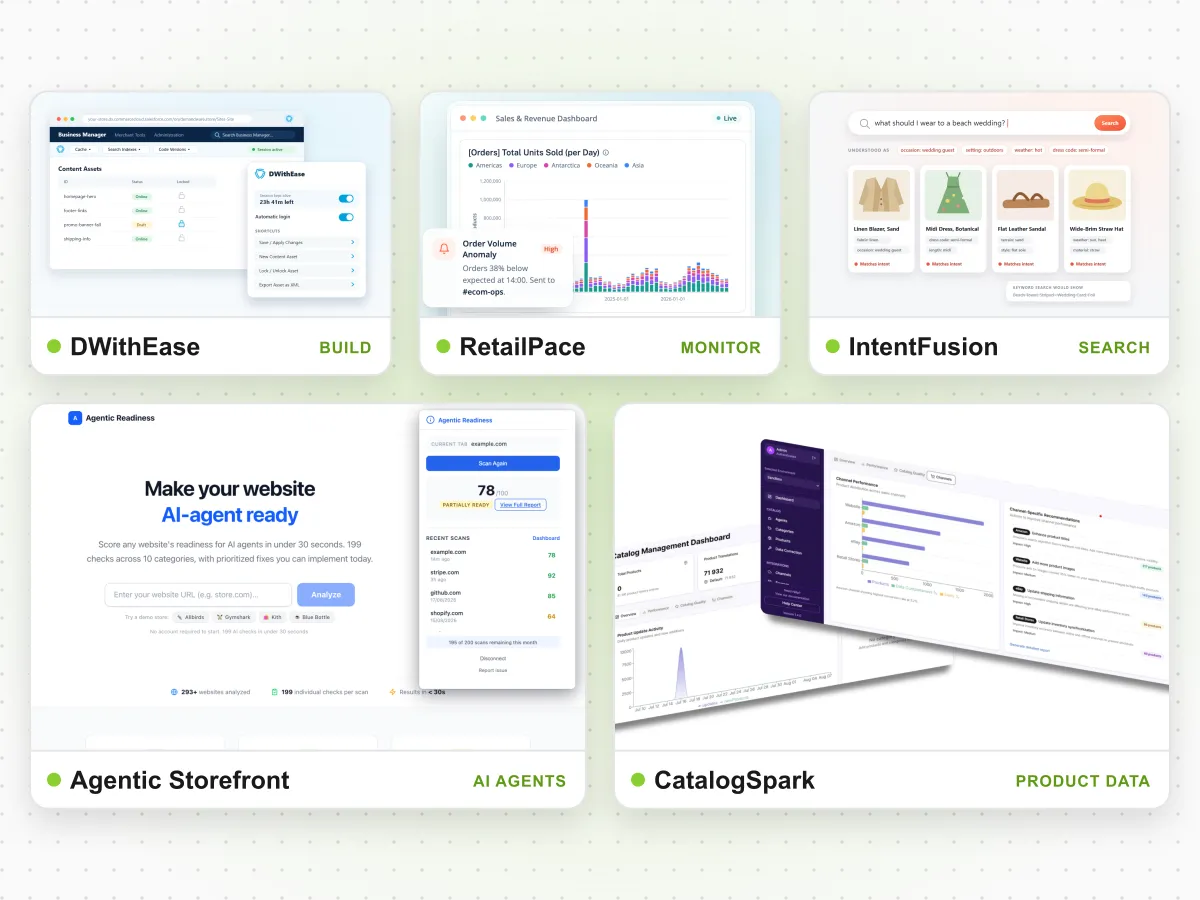
Code versions are where freeze discipline usually slips. DWithEase, the free SFCC browser extension we build, puts the code-version list in a Business Manager toolbar, so switching versions before the freeze or rolling back during peak takes one click instead of several menus.
Weeks 6–4: A Full Regression Run on the Release Candidate
Once the release candidate is final, test all of it, not just the parts that changed. Peak problems often come from interactions nobody expected: a promotion that breaks a shipping rule, or a new payment option that fails on one browser.
What to cover:
- Login, registration and password reset.
- Search and product listing pages: filters, sorting and pagination on your biggest categories.
- Product detail pages: variants, stock messages and add to cart.
- Basket and promotions: run every planned Black Friday promotion, alone and combined.
- Checkout and payment: every payment method, shipping method and gift option you’ll offer at peak.
- Mobile, where most peak traffic arrives.
Run the suite on staging, fix what fails, then run it again before the release goes to production. If you plan a load test, book it early: load tests against SFCC instances have to be scheduled with Salesforce.
Manual regression testing at this scale takes days, which is why it gets cut short. Automated tests run the same checks in hours and can be repeated after every fix. When Stine Home + Yard moved to automated testing, testing time fell from four person-days to two hours. Read the Stine case study, or see how RetailVerify handles automated SFCC regression testing.
Weeks 4–2: Alert Thresholds Tuned for Peak Traffic
Alerts set for an ordinary Tuesday will either stay silent or fire constantly during Black Friday. Traffic, order volume and job load all change, so thresholds need to change with them.
What to tune:
- Traffic and order volume. Raise baselines to match expected peak levels, so a normal surge doesn’t page anyone, but a sudden drop does.
- Checkout speed and payment latency. Small slowdowns cost the most at peak. Alert on response times, not only on failures.
- Jobs. Inventory, price and catalog imports often run more often during sales. Alert on failed jobs, jobs that run too long and jobs that overlap.
- Error rates in custom controllers and integrations, compared with the same hour on a normal day.
- Alert routing. Decide who receives each alert during the sale weekend, through which channel, and who backs them up.
Use the weeks before Black Friday to check the new thresholds against real early-sale traffic, then adjust. For this stage we built RetailPace monitoring, which watches SFCC logs, jobs and performance and alerts the team before customers notice a problem.
Final Week: Hold the Line
By 20 November, the plan is mostly about discipline:
- The freeze holds. Only agreed exceptions go live, and each one is tested first.
- The on-call rota is confirmed, with developers who know the code, not only people who can restart services.
- Rollback steps are written down, including which code version to activate.
- Promotions are scheduled and checked on staging, then replicated.
Throughout: A Complete Holiday Catalog
Product data doesn’t follow the code freeze. Holiday products, gift sets and new stock arrive right up to peak, and every gap shows up somewhere: in filters that miss products, in search that can’t find them, and in feeds that reject them.
What to check:
- Required attributes are filled in for every holiday product, especially size, colour, material and price.
- Gift-relevant details, such as age range, occasion and delivery dates, are in structured fields, not only in descriptions.
- Feeds to Google Shopping, marketplaces and other channels validate without errors.
- Translations are complete for every market you sell in.
Filling these gaps by hand doesn’t scale when new products arrive weekly. Stine Home + Yard used AI enrichment to grow its catalog from 35,000 to 80,000 products. The platform behind that project is CatalogSpark, our AI product data tool.
Throughout: Gift Queries in AI Assistants
More holiday shoppers now start with an AI assistant: “a gift for a ten-year-old who likes science,” “the best winter boots under €150.” If your products aren’t in those answers, you miss the shopper before they reach any search engine or ad.
What to check before Q4:
- Ask the assistants yourself. Try the gift questions your customers ask and see whether your brand appears, and whether prices and availability are correct.
- Make product data machine-readable, with complete attributes and structured data on product pages.
- Make sure AI crawlers can reach the pages that matter.
- Fix wrong answers at the source: outdated prices, policies or product details usually come from your own pages or feeds.
AI assistants pick up changes slowly, so work done in October counts more than work done in late November. Agentic Storefront, our agentic commerce product, offers a free readiness audit that shows where your store stands. For a real example, see why AI wasn’t finding one retail brand, and what changed.
Need Extra Hands Before Peak?
Most teams don’t lack a plan. They lack hours in October and November. If your own developers are already at capacity, a support retainer can add SFCC developers and QA for the peak months and scale back down in January.
- Explore our SFCC support services.
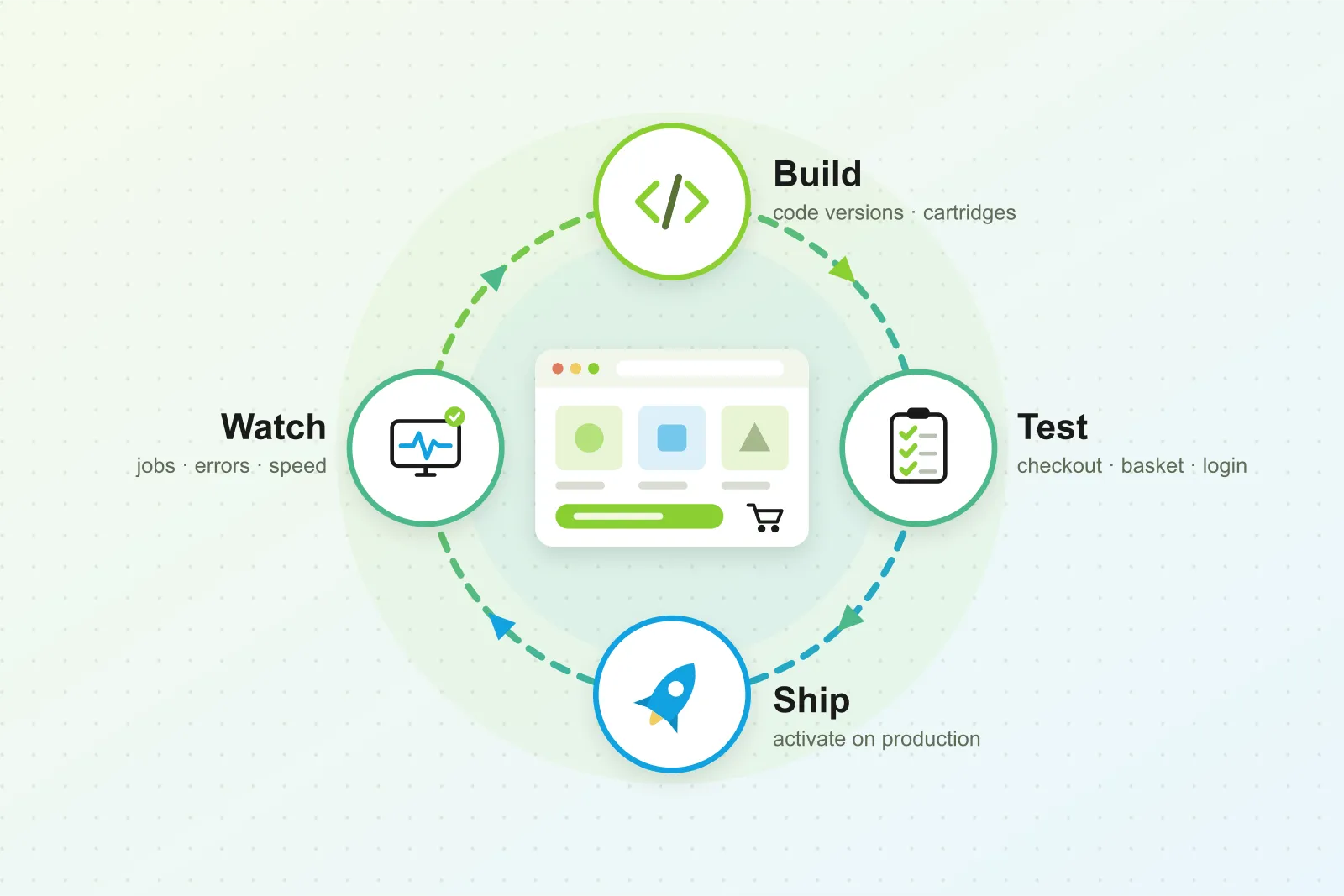
- Read how the whole release cycle fits together: build, test, ship, watch.
- See all ForkPoint products.