Build, Test, Ship, Watch: The SFCC Release Cycle

Most Salesforce Commerce Cloud (SFCC) incidents don’t start in production. They start earlier: a cartridge path changed on one instance and not the other, a checkout step nobody re-tested, a job that fails quietly the night after a release. By the time a customer notices, the cause is several steps back.
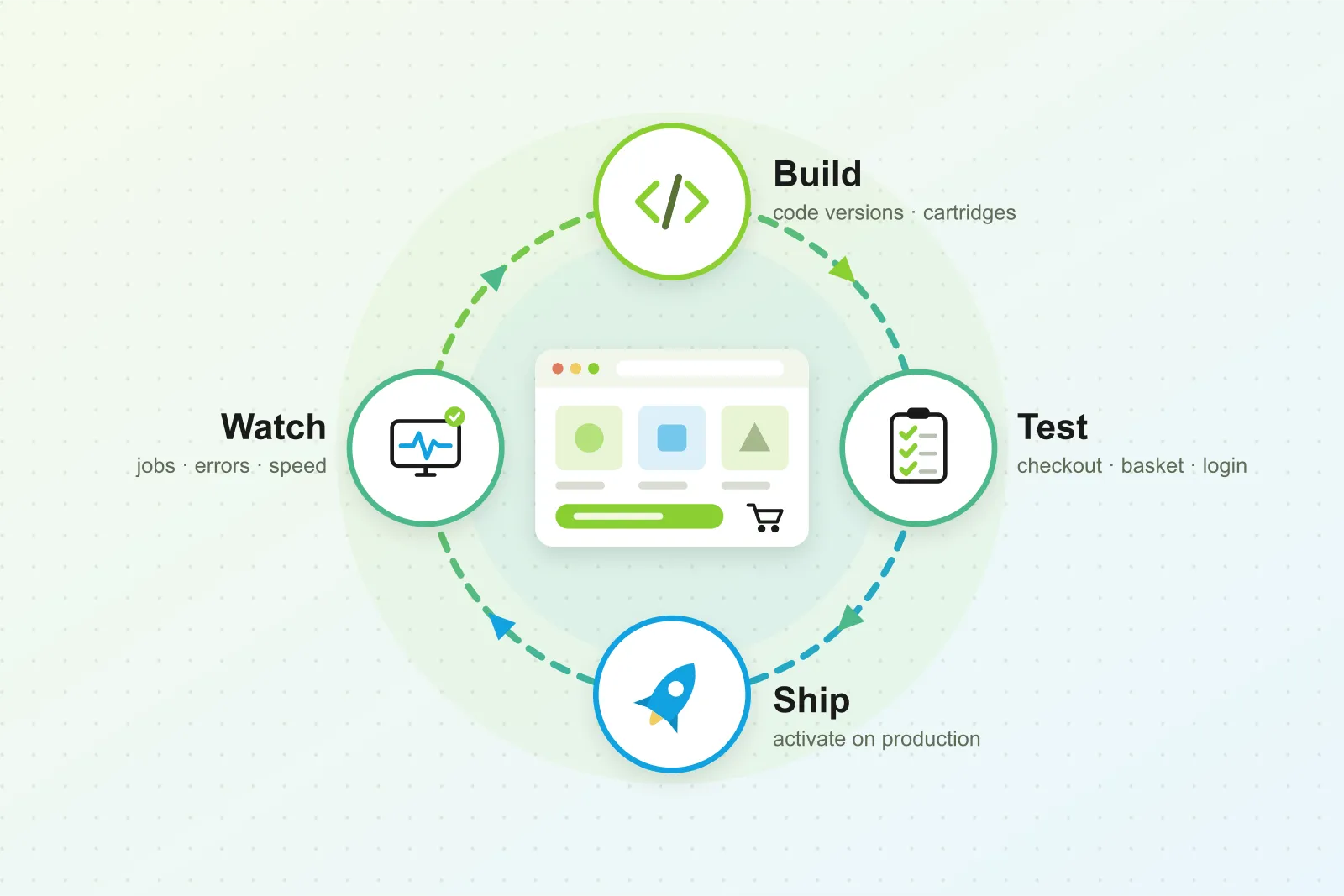
A safe SFCC release is a cycle with four stages: build, test, ship and watch. Each stage catches a different kind of problem, and each needs its own tools and owner. This guide walks through all four. It’s written for e-commerce directors and SFCC tech leads who want fewer hotfixes without slowing releases down.
In short:
- Build and deploy with control over code versions, cartridge paths and Business Manager changes on every instance.
- Test before activation across the journeys that make money: login, product pages, basket, checkout and payment.
- Activate, then watch failed jobs, error spikes and checkout speed, so the team hears about problems before customers do.
- Give every stage an owner, whether that’s your in-house team, a support retainer or a mix of both.
ForkPoint builds a tool for each stage, so we’ve seen where releases go wrong at every one of them.
1. Build and Deploy: Control What Goes Where
On SFCC, a release isn’t just code. It’s a code version uploaded to an instance, a cartridge path that decides which cartridges run and in what order, and a set of Business Manager changes: site preferences, custom objects, jobs, content and search settings. Every SFCC realm has separate development, staging and production instances, plus on-demand sandboxes, so the same release has to arrive correctly in several places.
Most deployment problems come from drift between those places:
- The wrong code version is active on one instance after a manual switch.
- The cartridge path differs between sandbox and staging, so code that worked in testing behaves differently later.
- A Business Manager setting was changed by hand on one instance and never carried over.
- Developers lose track of which environment they’re in, and a change meant for a sandbox lands somewhere else.
What helps:
- Make the active code version and cartridge path easy to see on every instance, not buried several menus deep.
- Label environments clearly, so nobody confuses a sandbox with staging or production.
- Protect production against accidental changes.
- Keep a written list of the Business Manager changes each release needs, and check it off on every instance.
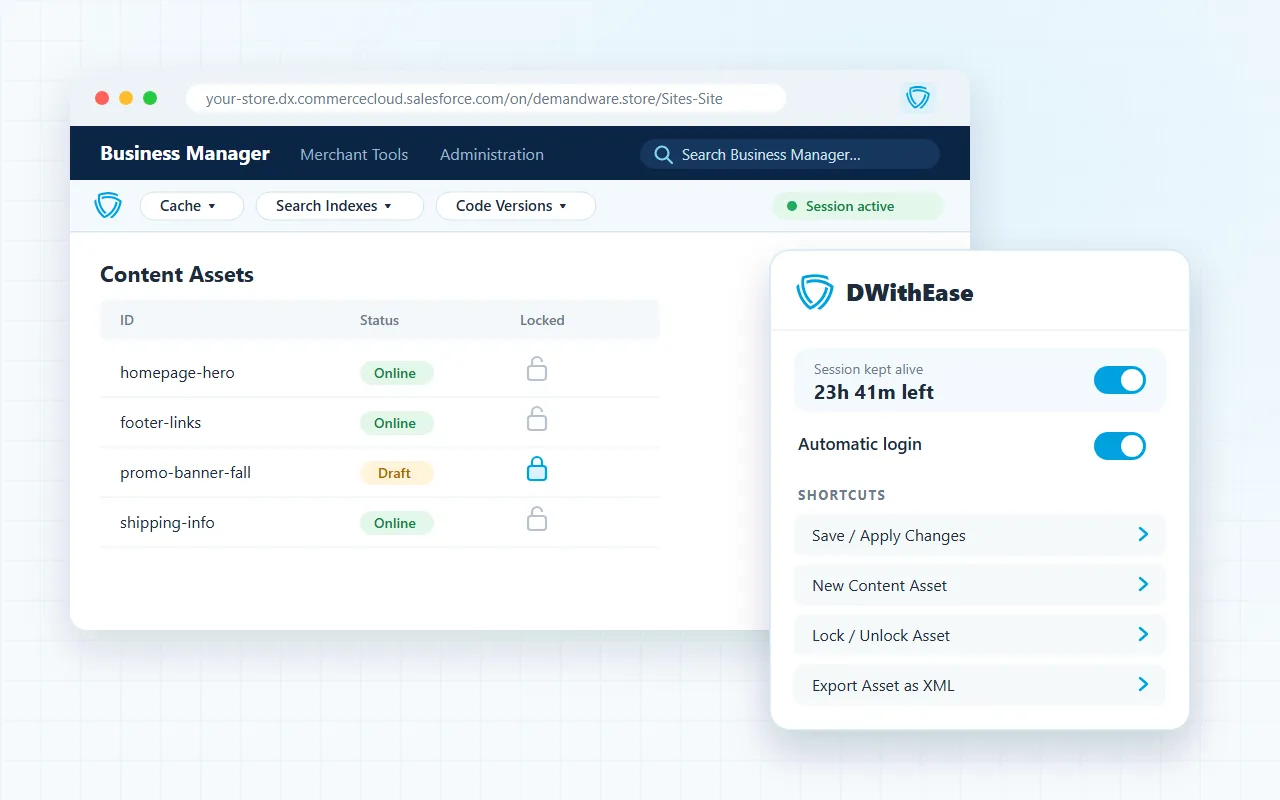
This is the stage DWithEase was built for. It’s the free SFCC browser extension we build and maintain, and our own developers use it every day. Its Business Manager toolbar shows code versions, cartridge path and search indexes in one place. Environment badges show which sandbox or instance is open, and production controls add a safety check before changes. We cover the story behind it in Building DWithEase.
2. Test Before Activation: Check the Journeys That Make Money
Uploading a code version doesn’t change the storefront until someone activates it. That gap is your chance to test. The question is what to test, and how often.
A useful regression suite on SFCC covers the journeys where a bug costs revenue:
- Login and registration, including password reset.
- Product listing and search: sorting, filtering, pagination and quick search.
- Product detail pages: variants, availability and add to cart.
- Basket and mini-cart: quantities, promotions and price totals.
- Checkout to order confirmation, across shipping methods.
- Payment, including saved cards and wallets where you offer them.
Run these tests by hand and they take days, so they get skipped when a release is urgent. That’s exactly when regressions slip through. Automated tests run the same checks in hours, on development, staging and production, every time.
The difference shows. When Stine Home + Yard moved from manual to automated testing, they went from a release every few months to one or two releases a month. Testing time fell from four person-days to two hours, and bugs dropped by 90%. Read the Stine case study.
At ForkPoint, automated SFCC regression testing is RetailVerify. Our team builds the test suite around your storefront, runs it before each release and keeps it up to date as the store changes.
3. Activate and Watch: Know Before Your Customers Do
A passing test suite proves the main journeys work on the instance you tested, with the data you tested. It can’t prove what happens with real traffic, real imports and real integrations. Some problems only show up in production:
- Failed or overlapping jobs. Catalog, inventory and price imports that stop halfway, or two jobs that run into each other.
- Error spikes in custom controllers or integrations after a release.
- Third-party slowdowns, such as a payment gateway or tax service that starts timing out under load.
- Slower checkout, where nothing breaks but every step takes a little longer.
None of these show up as a failed test. They show up in logs, job history and performance data, and only if someone is watching. Watching by hand doesn’t scale, especially at night and over weekends.
What helps:
- A baseline for normal error rates, job durations and checkout speed, so alerts fire on real changes, not noise.
- Alerts that reach the right people in the tools they already use, such as Teams or Slack.
- A closer watch in the first hours after activation, when a release is most likely to cause trouble.
- A clear path back: know how to switch to the previous code version if a release goes wrong.
For this stage we built RetailPace monitoring. It reads SFCC logs, jobs and performance data, and alerts your team when something moves away from normal.
4. Who Owns Each Stage?
Tools don’t fix problems. People do. The last question is who owns each stage, and the answer depends on your team.
| Stage | What the owner does | In-house team needs | A support retainer can cover |
|---|---|---|---|
| Build and deploy | Plans releases, manages code versions and Business Manager changes per instance | SFCC developers who know your setup | Development capacity and release management |
| Test | Keeps the regression suite current, runs it, reviews failures before activation | QA time and test automation skills | Writing, running and maintaining automated tests |
| Ship | Activates the release, checks it on production, rolls back if needed | Someone with production access and clear criteria | Release-day checks and rollback |
| Watch | Responds to alerts and finds the root cause | Developers on call, including outside office hours | Monitoring, alert response and fixes |
Many brands keep build and deploy in-house and hand testing and monitoring to a partner. Others hand over the whole cycle. Both work. What doesn’t work is a stage nobody owns: tests that stop being maintained, or alerts that land in a channel nobody reads.
When we support an SFCC store, the developers who answer an alert are the same people who know the code and the release history. That’s what makes a fix quick, and stops the same problem from coming back.
Where to Start
You don’t need all four stages in place on day one. Look at your last few incidents and ask where each one could have been caught:
- Wrong code version, cartridge path or setting? Tighten the build and deploy stage.
- A broken journey a customer found first? Add automated regression tests.
- A failed job or slow checkout nobody saw for hours? Add monitoring and alerts.
- A problem everyone saw but nobody fixed? Give the stage a clear owner.
Fix the weakest stage first, then move to the next one.
- Explore our SFCC support services.
- See all ForkPoint products.
- Try DWithEase for free.